Navigating the Future of Work: Insights from the Argyle AI Summit

At the recent Argyle AI Summit, a prestigious event in the AI industry, I had the honor of participating as a speaker alongside esteemed professionals like Misha Leybovich from Google Labs. The summit, coordinated by Sylvia Das Chagas, a former senior AI conversation designer at CVS Health, provided an enlightening platform to discuss the evolving role of AI in talent management. Our session focused on the theme “Driving Talent with AI,” addressing some of the most pressing questions in the field. Frequently, relevant use cases were shared in detail to support these threads.
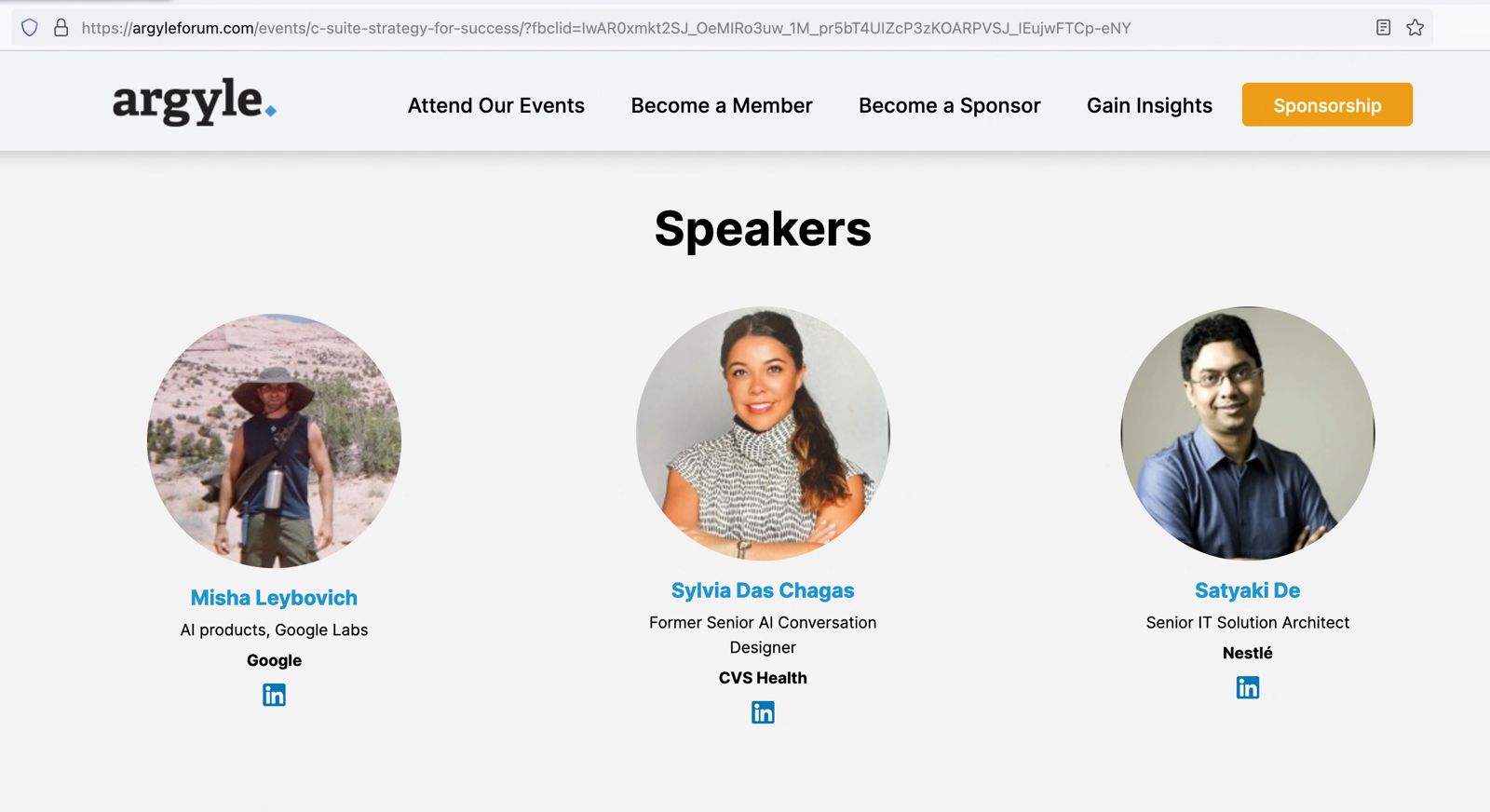
To view the actual page, please click the following link.

One of the critical topics we explored was AI’s impact on talent management in the upcoming year. AI’s influence in hiring and retention is becoming increasingly significant. For example, AI-powered tools can now analyze vast amounts of data to identify the best candidates for a role, going beyond traditional resume screening. In retention, AI is instrumental in identifying patterns that indicate an employee’s likelihood to leave, enabling proactive measures.

A burning question in AI is how leaders address fears that AI might replace manual jobs. We discussed the importance of leaders framing AI as a complement to human skills rather than a replacement. AI enhances employee capabilities by automating mundane tasks, allowing employees to focus on more creative and strategic work.

Regarding new AI tools that organizations should watch out for, the conversation highlighted tools that enhance remote collaboration and workplace inclusivity. Tools like virtual meeting assistants that can transcribe, translate, and summarize meetings in real time are becoming invaluable in today’s global work environment.

AI’s role in boosting employee motivation and productivity was another focal point. We discussed how AI-driven career development programs can offer personalized learning paths, helping employees grow and stay motivated.

Incorporating multiple languages in tools like ChatGPT was highlighted as a critical step towards inclusivity. This expansion allows a broader range of employees to interact with AI tools in their native language, fostering a more inclusive workplace environment.

Lastly, we tackled the challenge of addressing employees’ reluctance to change. Emphasizing the importance of transparent communication and education about AI’s benefits was identified as key. Organizations can alleviate fears and encourage a more accepting attitude towards AI by involving employees in the AI implementation process and providing training.

The Argyle AI Summit offered a compelling glimpse into the future of AI in talent management. The session provided valuable insights for leaders looking to harness AI’s potential to enhance talent management strategies by discussing real-world examples and strategies. To gain more in-depth knowledge and perspectives shared during this summit, I encourage interested parties to visit the recorded session link for a more comprehensive understanding.

Or, you can directly view it from here –


I would greatly appreciate your feedback on the insights shared during the summit. Your thoughts and perspectives are invaluable as we continue to explore and navigate the evolving landscape of AI in the workplace.

Calling Twilio Voice API to deliver custom voice calls to the subscriber

Hello Guys!

It’s time to share another installment of fun & exciting posts from the world of Python-verse.

Today, We’ll be leveraging the Twilio voice API to send custom messages through phone calls directly. This service is beneficial on many occasions, including alerting the customer of potential payment reminders to pending product delivery calls to warehouse managers.


Dependent Packages:

Let us explore what packages we need for this –

Dependent Package Installation

The commands for your reference –

pip install twilio
pip install pandas

Also, you need to subscribe/register in Twilio. I’ve already shown you what to do about that. You can refer to my old post to know more about it. However, you need to reserve one phone number from which you will be calling your customers.

Buying phone numbers

As you can see, I’ve reserved one phone number to demonstrate this use case.


Let us explore the key codebase –

  1. clsVoiceAPI.py (Main class invoking the voice API)


##############################################
#### Written By: SATYAKI DE ####
#### Written On: 30-Mar-2021 ####
#### Modified On 30-Mar-2021 ####
#### ####
#### Objective: Calling Twilio Voice API ####
##############################################
import json
from clsConfig import clsConfig as cf
import logging
import os
from twilio.rest import Client
class clsVoiceAPI:
def __init__(self):
self.account_sid = cf.conf['TWILIO_ACCOUNT_SID']
self.auth_token = cf.conf['TWILIO_AUTH_TOKEN']
self.from_phone = cf.conf['FROM_PHONE']
self.to_phone = cf.conf['TO_PHONE']
def sendCall(self, msg):
try:
account_sid = self.account_sid
auth_token = self.auth_token
from_phone = self.from_phone
to_phone = self.to_phone
client = Client(account_sid, auth_token)
call = client.calls.create(
twiml='<Response><Say>' + str(msg) + '</Say></Response>',
to=str(from_phone),
from_=str(to_phone)
)
resTokenOutput = call.sid
print('Final Respone: ' + str(resTokenOutput))
resToken = 0
return resToken
except Exception as e:
x = str(e)
resToken = 1
print(x)
logging.info(x)
return resToken

view raw

clsVoiceAPI.py

hosted with ❤ by GitHub

Key snippets from the above codebase –

call = client.calls.create(
                            twiml='<Response><Say>' + str(msg) + '</Say></Response>',
                            to='+18048048844',
                            from_='+19999990396'
                        )

We’re invoking the Twilio API in the above block by giving both the calling & Callee numbers. And, we’re receiving the desired messages from our primary calling program, which the IVR will spell while calling to the customers.

2. callTwilioVoice.py (Main calling script)


#########################################################
#### Written By: SATYAKI DE ####
#### Written On: 06-Mar-2021 ####
#### Modified On 07-Mar-2021 ####
#### ####
#### Objective: Main calling scripts – ####
#### This Python script will consume an ####
#### source API data from Azure-Cloud & publish the ####
#### data into an Oracle Streaming platform, ####
#### which is compatible with Kafka. Later, another ####
#### consumer app will read the data from the stream.####
#########################################################
from clsConfig import clsConfig as cf
import clsL as cl
import logging
import datetime
import clsVoiceAPI as ca
# Disbling Warning
def warn(*args, **kwargs):
pass
import warnings
warnings.warn = warn
# Lookup functions from
# Azure cloud SQL DB
var = datetime.datetime.now().strftime("%Y-%m-%d_%H-%M-%S")
def main():
try:
# Declared Variable
ret_1 = 0
debug_ind = 'Y'
res_2 = ''
# Defining Generic Log File
general_log_path = str(cf.conf['LOG_PATH'])
# Enabling Logging Info
logging.basicConfig(filename=general_log_path + 'TwillioAPICall.log', level=logging.INFO)
# Initiating Log Class
l = cl.clsL()
# Moving previous day log files to archive directory
log_dir = cf.conf['LOG_PATH']
tmpR0 = "*" * 157
logging.info(tmpR0)
tmpR9 = 'Start Time: ' + str(var)
logging.info(tmpR9)
logging.info(tmpR0)
print()
print("Log Directory::", log_dir)
tmpR1 = 'Log Directory::' + log_dir
logging.info(tmpR1)
print('Welcome to the Twilio Voice Calling Program: ')
print('*' * 160)
print()
# Provide a short input text for calls
voiceCallText = 'Voice From Satyaki, Welcome to the Python World!'
# Create the instance of the Twilio Voice API Class
x1 = ca.clsVoiceAPI()
# Let's pass this to our map section
resSID = x1.sendCall(voiceCallText)
if resSID == 0:
print('Successfully send Audio Message!')
else:
print('Failed to send Audio Message!')
print()
print('Finished Sending Automated Calls..')
print("*" * 160)
logging.info('FFinished Sending Automated Calls..')
logging.info(tmpR0)
tmpR10 = 'End Time: ' + str(var)
logging.info(tmpR10)
logging.info(tmpR0)
except ValueError as e:
print(str(e))
print("Invalid option!")
logging.info("Invalid option!")
except Exception as e:
print("Top level Error: args:{0}, message{1}".format(e.args, e.message))
if __name__ == "__main__":
main()

Key snippets from the above codebase –

        # Create the instance of the Twilio Voice API Class
        x1 = ca.clsVoiceAPI()

        # Let's pass this to our map section
        resSID = x1.sendCall(voiceCallText)

As you can see, we’re first instantiating the class & then calling the method from it by providing the appropriate messages that will eventually deliver to our customer. You can configure dynamic content & pass it to this class.


Let us explore the directory structure –

Directory Structures

Let us see how it runs –

Running Applications

You need to make sure that you are checking your balance of your Twilio account diligently.

Checking Balance

And, here is the sneak peak of how it looks like in an video –

Actual execution

For more information on IVR, please check the following link.


Please find the git details in this link.

So, finally, we have done it.

I’ll bring some more exciting topic in the coming days from the Python verse.

Till then, Happy Avenging! 😀

Note: All the data & scenario posted here are representational data & scenarios & available over the internet & for educational purpose only.